
This wasn’t one of those “my ISP setup is broken so I had to fix it” situations.
Everything actually worked fine. Port forwarding, routing, general stability—no real complaints.
I just wanted to see what would happen if I removed the ISP modem entirely.
Partly to clean up the setup, partly to save space, and mostly to answer one question: am I actually leaving performance on the table on a gigabit plan?
Why Bother If It Already Works?#
Short answer: curiosity.
The stock PLDT modem did its job. But it’s still an extra device sitting there, doing things I can’t fully see or control.
I figured:
- one less box = cleaner setup
- direct fiber into my own system = fewer unknowns
- maybe (just maybe) there’s some extra performance to squeeze out
Also, I just like messing with this stuff.
The Setup#
Here’s what I ended up running:
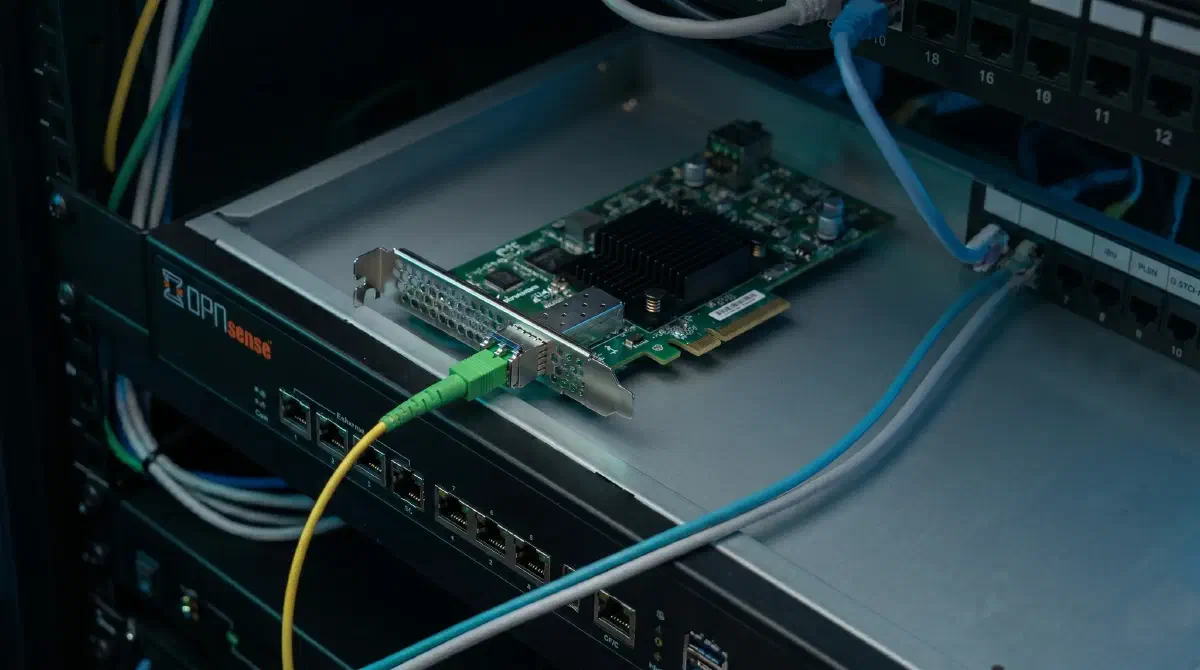
- Broadcom BCM57810S (flashed to handle 2.5G properly)
- GPON SFP module with PLDT credentials
- OPNsense as the router/firewall
- Patched drivers to properly support 2.5G link negotiation
So instead of:
fiber → ISP modem → router
it’s now:
fiber → SFP module → NIC → OPNsense
No middle box.
The 2.5G Detail That Actually Matters#
GPON runs at 2.5G down / 1.25G up. That doesn’t line up nicely with standard 1G gear.
The BCM57810S needed a firmware tweak to negotiate that properly. Before doing that, link stability was hit-or-miss. After flashing, it locked in consistently.
That was probably the most “make or break” part of the whole setup.
OPNsense Side#
Nothing too exotic, just:
- patched Broadcom drivers to enable 2.5G negotiation (not supported out of the box)
- VLAN tagging for PLDT
- PPPoE for WAN
Once everything lined up, it connected like any normal WAN interface would.
Did It Actually Change Anything?#
This was the whole point.
On paper, a gigabit plan is a gigabit plan. You shouldn’t magically get more just by changing hardware.
But in reality, ISPs sometimes overprovision a bit.
What I noticed#
- Speeds are more consistent at the top end
- Slightly less jitter under load
- It’s easier to actually hit (or slightly exceed) the plan limit during tests
Nothing dramatic—just less friction getting to the ceiling.
The Real Benefits#
The performance gain wasn’t huge. The setup improvement was more noticeable:
- one less device on the desk
- less cabling
- no redundant NAT layer (even if it wasn’t an issue before)
- everything handled in one place (OPNsense)
It just feels more direct.
Sources / Inspiration#
This setup wasn’t entirely from scratch—I pulled ideas and documentation from:
https://github.com/Anime4000/RTL960x
Was It Worth It?#
If you’re expecting a massive speed boost—probably not.
If you:
- like optimizing your setup
- want to simplify your hardware
- are curious about how much control you can actually have
then yeah, it’s a fun project.
Conclusion#
This wasn’t about fixing a problem. It was about removing something unnecessary and seeing what happens.
Turns out:
- performance is a bit cleaner
- the setup is simpler
- and I trust it more because I control all of it
Also, there’s something satisfying about knowing your gigabit connection isn’t being funneled through an ISP box you didn’t ask for.
Would I tell everyone to do it? No.
Would I do it again? Definitely.